Appearance
Rules Playground
The Rules Playground is an interactive testing environment that lets you prototype and validate detection rules on real files from your projects before saving them to your organization's rule catalog.
For example, say you want to ensure all API endpoints verify authentication before processing sensitive data. In the Playground, you can:
- Select a project with your API handlers
- Pick a few controller or route files
- Write: "Flag any endpoint that accesses user data or performs mutations without first checking authentication or validating the session token"
- Run the test and see exactly what it catches
- Refine the prompt until it works perfectly—then add it to your org rules
Why use the Playground?
- Test before committing: Experiment with rule ideas without affecting your organization's rule catalog
- Validate on real code: Run rules against actual files from your projects to see what they detect
- Iterate quickly: Refine rule prompts and test immediately without going through the full save process
- Safe experimentation: Nothing is saved or changed until you explicitly choose to add a rule to your organization
How to access
- In the sidebar, click Rules
- Click the Playground tab
- Start testing your rules!
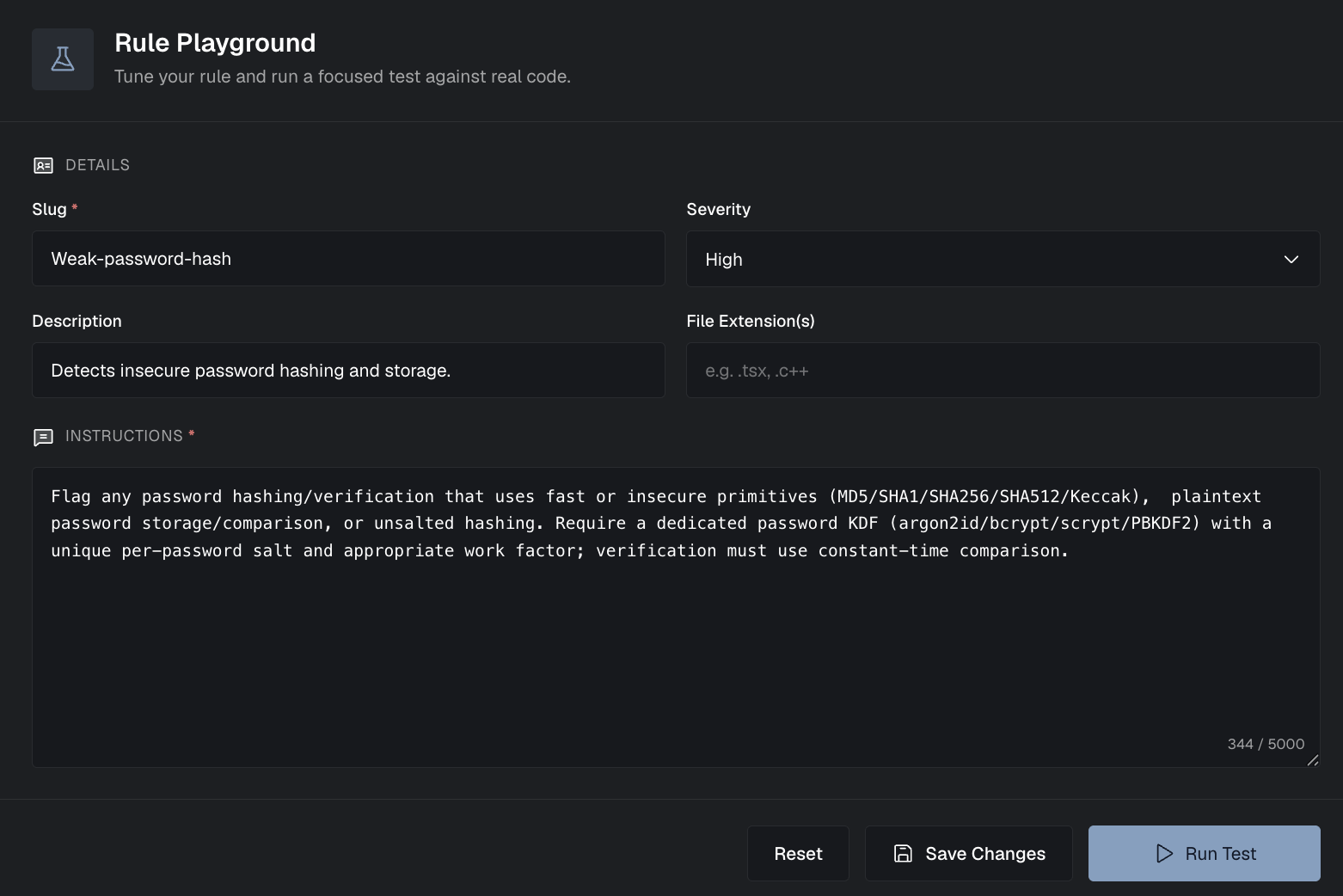
Step-by-step workflow
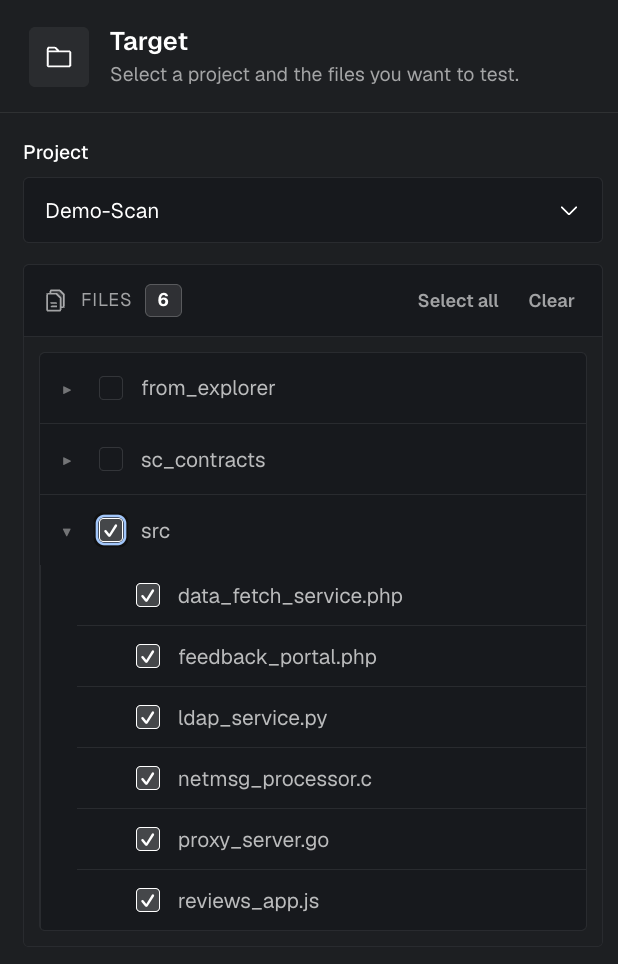
1. Select a project
Choose a project from your organization that contains the type of code you want to test your rule against. The playground will use files from this project to validate your rule.
2. Pick specific files
Select one or more files from the chosen project. You can:
- Select individual files to test on specific code patterns
- Choose multiple files to see how the rule performs across different parts of your codebase
- Pick representative files that contain the patterns you want to detect (or avoid)
TIP
Rules Playground tests currently support up to 20 files per run. Pick the most representative files first.
3. Describe your rule
Write your rule prompt in plain English. The playground uses the same LLM engine that powers full scans, so describe what you want to find:
Good examples:
- "Flag functions that use
require()statements without proper error messages" - "Detect hardcoded API keys or secrets in configuration files"
- "Find authorization checks that don't verify user permissions"
Tips:
- Be specific about what you're looking for
- Mention the context (e.g., "in Solidity contracts", "in TypeScript controllers")
- Include what should be flagged and why it matters
4. Run the test
Click Run Test to see what your rule would detect. The playground will:
- Analyze the selected files
- Apply your rule prompt
- Show you any findings that match your rule
- Display the results in a format similar to a real scan

5. Review results
Examine the test results:
- Check if the rule catches the patterns you intended
- Verify it doesn't produce too many false positives
- Ensure it's not missing important cases
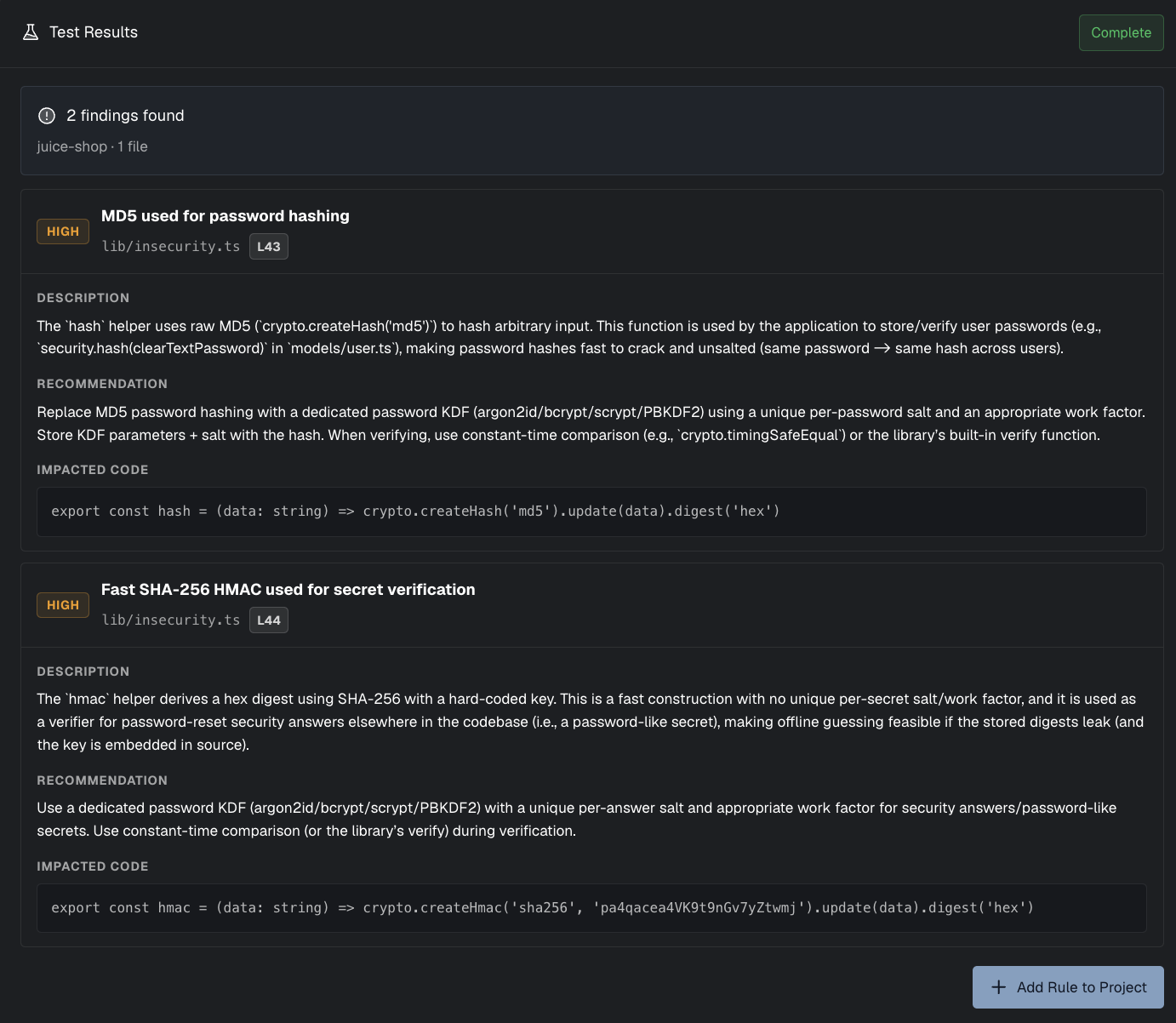
6. Refine and retest
Based on the results:
- Adjust your rule prompt if needed
- Try different file selections
- Run multiple iterations until you're satisfied
7. Add to organization (optional)
Once you're happy with how the rule performs:
- Click Add to Org Rules
- The rule will be saved to your organization's catalog
- You can then enable it on specific projects from the main Rules page
Limitations
- The playground tests only on selected files, not your entire codebase
- Results may vary slightly when the rule runs on a full scan
- Complex rules may need multiple iterations to get right
Next steps
Once you've tested and added a rule:
- Enable it on your projects
- Manage your organization's rules
- Learn more about Rules