Appearance
CI/CD Scan Integration
This guide covers how to set up continuous integration and deployment with Almanax.
Overview
CI/CD integration is set up on a per-project basis, meaning you have to enable it per project, it is not globally enabled.
Enabling CI/CD
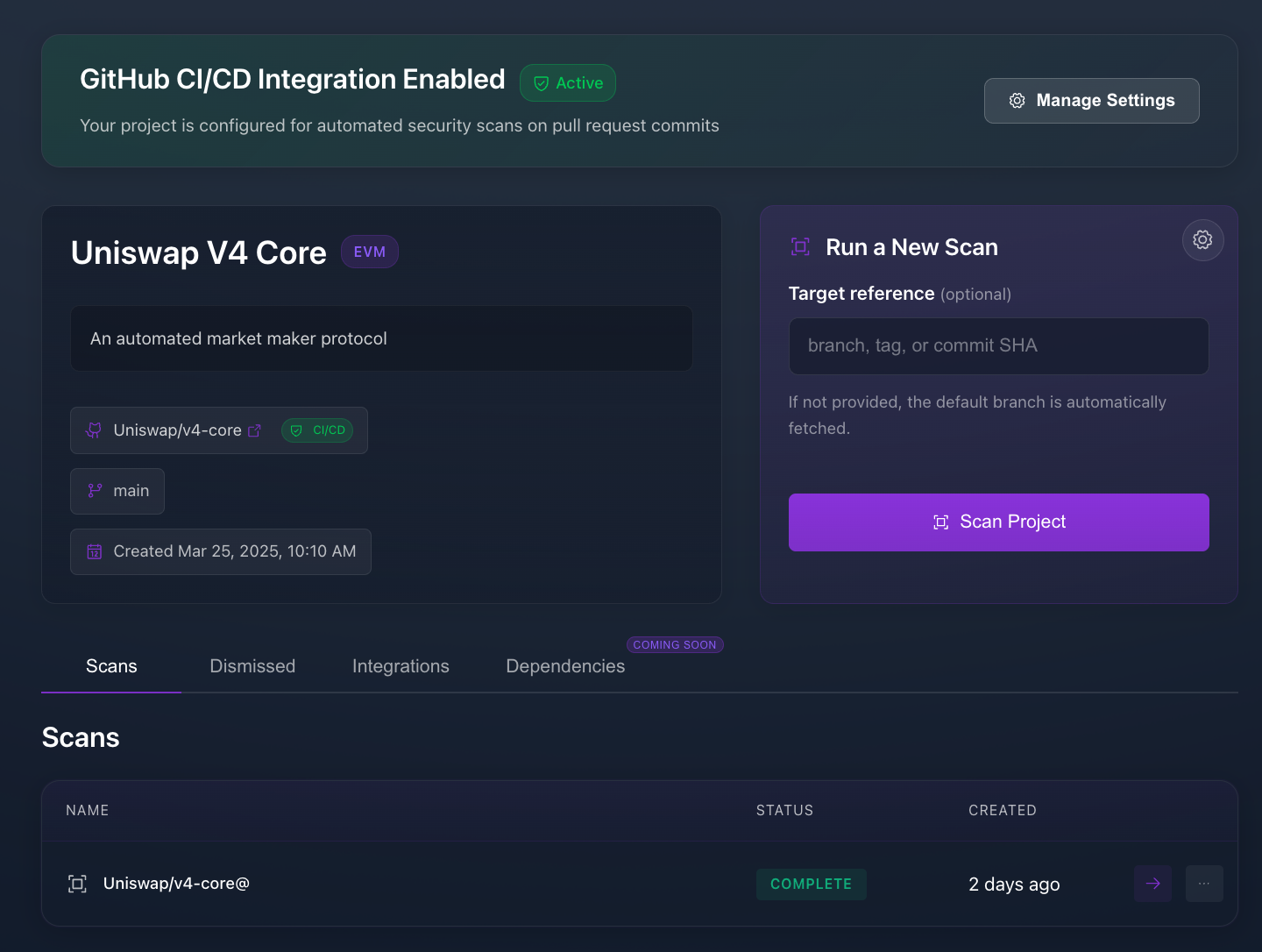
- On the project home page, click the ⚙️ icon to configure CI/CD
- Click
Enable CI/CD Integration(on the bottom of project details)
Error:
- a project with CI/CD enabled already exists for this repository
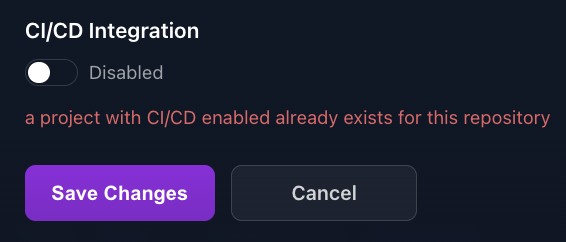
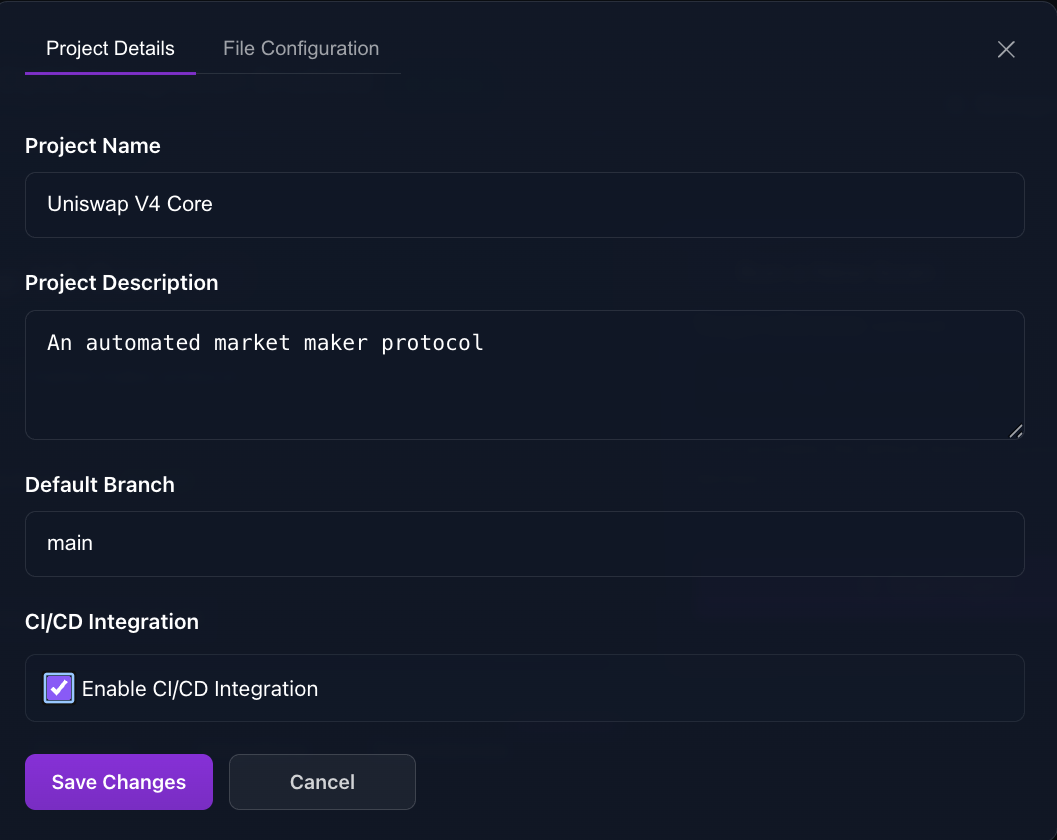
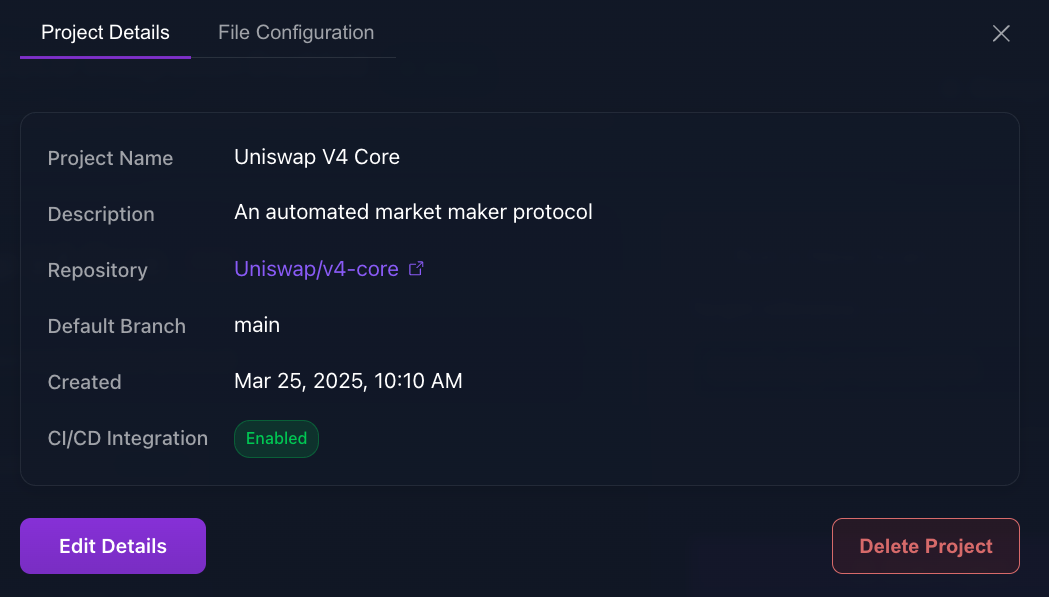
Once enabled, it will be verified in the project details section and the project home page will show CI/CD Integration as Enabled in settings and Active on the project page.
Requirements
Before enabling CI/CD, ensure you have:
- Installed the GitHub App
- Granted necessary permissions to the repositories you want to scan
- CI/CD requires write access to pull requests, checks, and commit statuses so Almanax can update pull request checks and statuses.
- Set up your project with the correct scan configuration
How It Works
When CI/CD is enabled:
- Almanax automatically scans your code when new commits are pushed
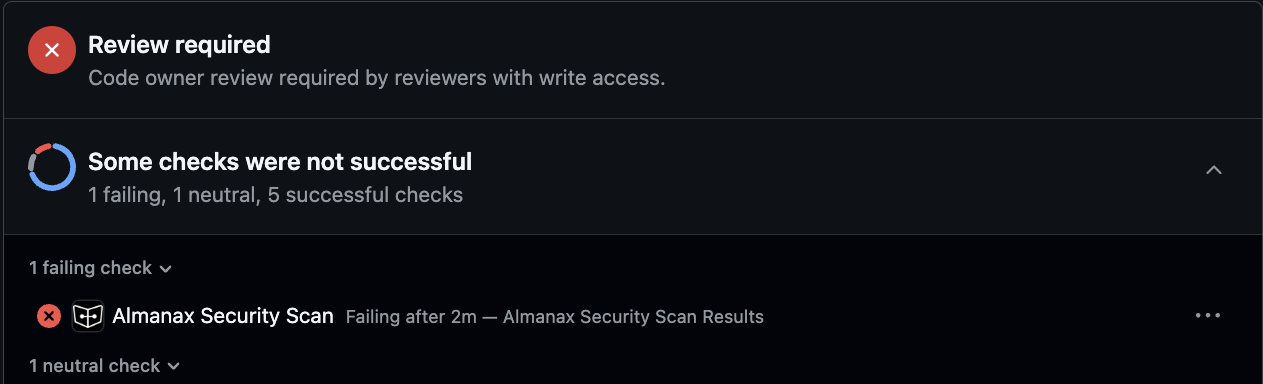
- Security findings are reported directly in your GitHub pull requests
- You can configure thresholds for blocking merges based on severity
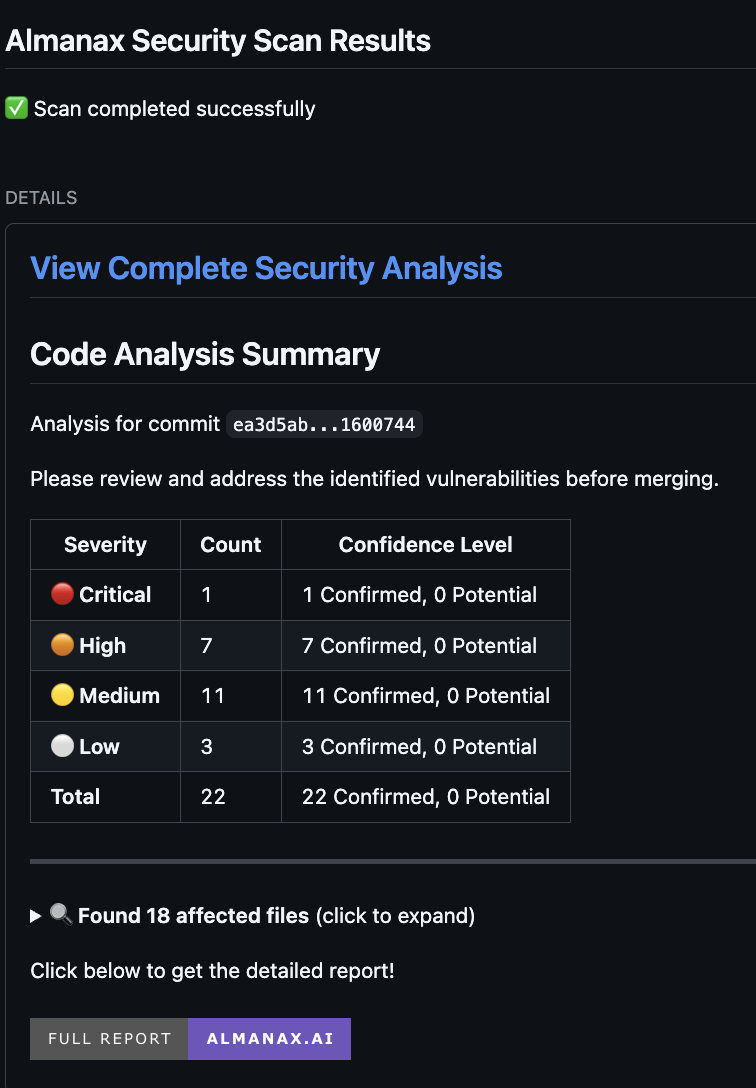
- Scan results are integrated into your existing CI/CD pipeline
Finding Thresholds
You can tell Almanax to fail the status check only when a certain number or severity of findings is reached. Add a github: block to your YAML config:
yaml
github:
  severity: MEDIUM # LOW, MEDIUM, HIGH, CRITICAL
  count: 1 # fail PR if ≥1 finding of that severity (or higher)
  comments_enabled: true # include inline comments on each finding
trigger: EVERY_COMMIT # or COMMENT_ONLY (requires `@almanax run`)severity– the minimum severity that should block the PR.count– how many findings at that level are allowed before fail.comments_enabled– toggle inline review comments.trigger–EVERY_COMMIT(default) orCOMMENT_ONLY.
Pull Request Comment Triggers
Almanax offers two ways to kick-off scans in a pull request:
- Commit Trigger (default) – A new scan runs automatically for every commit pushed to the PR branch.
- Comment Trigger – A scan runs only when someone comments
@almanax runon the pull request.
Choosing the comment trigger can help you conserve CI minutes on busy repositories or run scans only when a reviewer explicitly requests it. Configure the desired trigger behaviour in your project’s CI/CD Settings.
When the comment trigger is active:
- The bot listens for the exact phrase
@almanax run(case-insensitive) in any PR comment. - Once detected, Almanax launches a scan against the latest commit on that branch and posts the results back to the PR.
- You can still push additional commits; each push will start a new scan unless you’ve opted into comment-only mode.
TIP
CI/CD integration is a premium feature that helps maintain security throughout your development process.