Appearance
Subscription Management
This guide explains the different subscription tiers available in Almanax and how to manage your account's subscription.
Accessing Subscription Information
To view your subscription details:
- Click your profile picture in the top-right corner
- Select "Account Settings"
- Navigate to the Subscription section
Subscription Tiers
Almanax offers different subscription tiers to meet various needs and security requirements:
Free Tier
- Basic scanning capabilities
- Limited to individual developers
- Access to fundamental security checks
- Single project support
- Personal organization workspace only
Premium Tier
- Enhanced scanning capabilities
- Team collaboration features
- Advanced security analysis
- Multiple project support
- CI/CD integration
- Ability to create additional organizations
Enterprise Tier
- Comprehensive security scanning
- Full organization management
- Custom security rules
- Priority support
- Advanced reporting and analytics
- Unlimited projects
- Unlimited team members
- Shared visibility of projects and scans
- Team-wide collaboration on security findings
- Ideal for securing monorepos with multiple contributors
Usage Tracking
The subscription page provides detailed metrics on your usage:
Projects
Tracks the number of projects created against your plan's limit.
Scans (Monthly)
Shows how many scans have been run in the current billing period against your monthly allowance.
Members
Displays the number of members in your organization compared to your plan's member limit.
Features
Each subscription tier includes different features:
- CI/CD Integration: Automated scanning in your CI/CD pipeline
- Private Repos: Access to scan private repositories
- Perks Page: Access to special offers and resources
- Export PDF: Ability to export findings as PDF reports
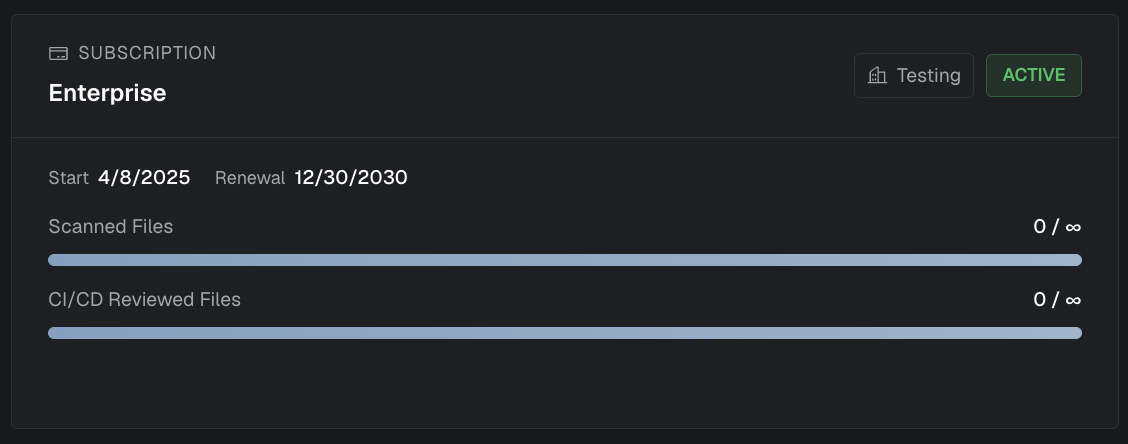
Subscription Details
Your subscription page shows important dates:
- Start Date: When your current subscription began
- Renewal Date: When your subscription will automatically renew
Upgrading Your Plan
To upgrade your plan:
- Navigate to your Account Settings
- Select the "Subscription" tab
- Click "Upgrade Plan"
- Choose your new tier
- Complete the payment process
Organization Subscriptions
When you create an organization, it inherits your personal subscription tier. Enterprise customers can create shared organizations where all members can collaborate and have visibility into projects and scan results.
TIP
Enterprise subscriptions are especially useful for teams working with monorepos with CI/CD enabled, as everyone can see the detailed output of PR scans.